This method requires administrator privileges.
1. Open the Activity Monitor app on your Mac.
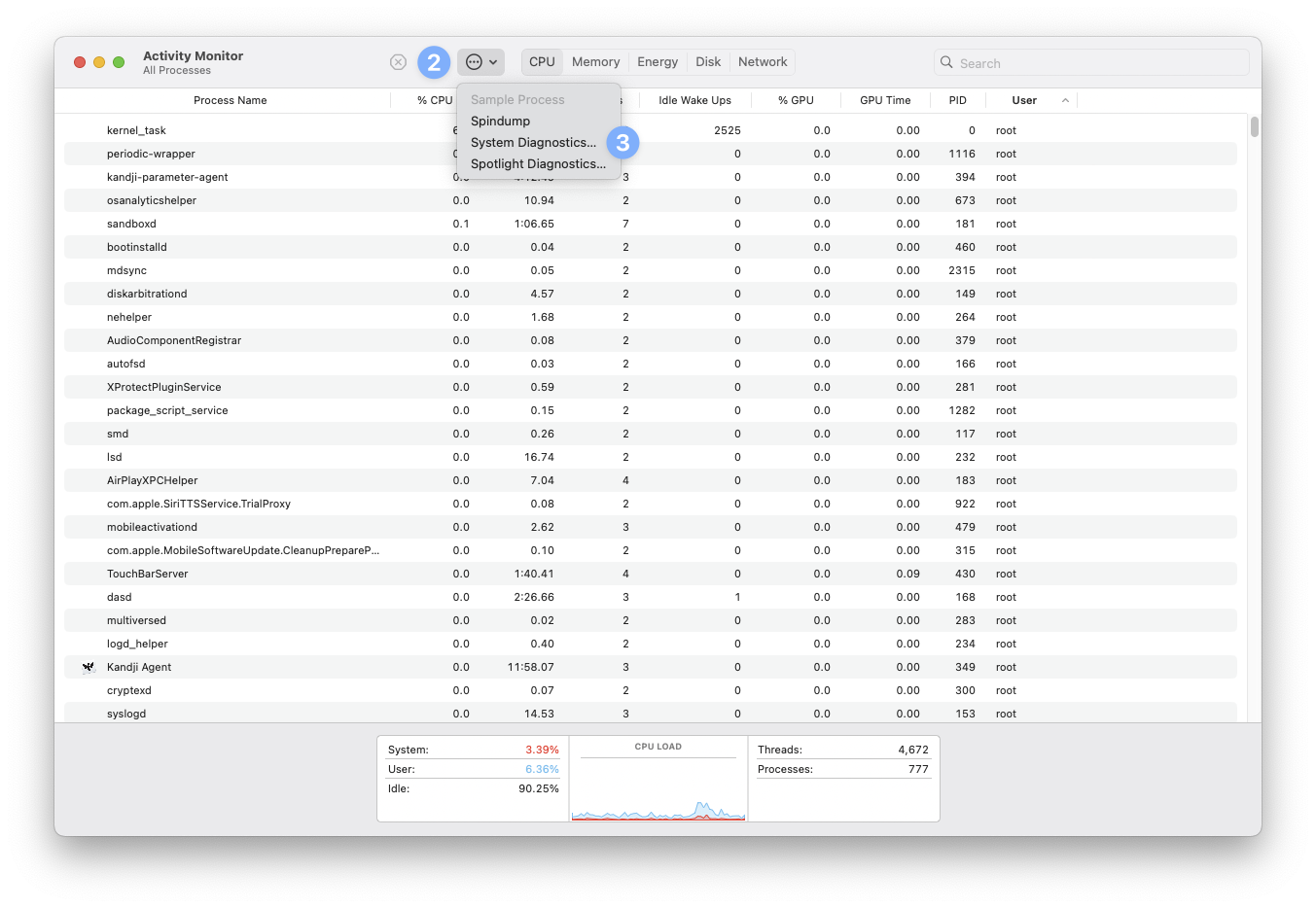
2. Click the ellipses at the top of the Activity Monitor window.
3. Select System Diagnostics...
4. Read through and accept the privacy agreement.
5. Wait for the progress bar to complete. Once done, a Finder window should appear with a tar.gz file shown.
6. If the sysdiagnose was requested by Lynx Support, please zip it and provide the entire bundle.
Please note the sysdiagnose file will be very large. We recommend uploading it to your iCloud drive and sending a sharable link to Lynx Support as it will not be possible to email or attach the file to a support ticket.
Comments
0 comments
Article is closed for comments.